Budget starter DJ setups
Four starter setups from bare minimum to club-ready, with what to buy, what to skip, and the hidden costs beginners forget.
Affiliate disclosure: some links on this page are affiliate links. If you buy through them we may earn a commission, at no extra cost to you. It never changes what we recommend.
The minimum you need
To start DJing you need four things:
- Something that plays and mixes two tracks (a controller, or decks plus a mixer).
- Headphones to cue the next track.
- Speakers to hear the mix.
- Music, bought or streamed legally.
Everything else is optional. Prices change quickly and vary by country, so this guide describes tiers rather than exact prices. Check current listings and used marketplaces before you buy.
Setup 1: Bare minimum
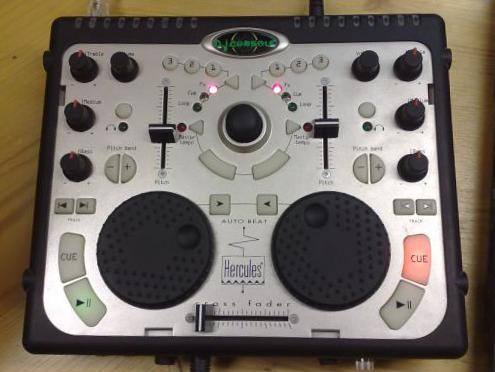
- Gear: A compact two-deck controller you already have a laptop for, plus any closed-back wired headphones.
- Speakers: Your home stereo, a pair of computer speakers or even headphones only at first.
- Software: The free or bundled version of the controller's software.
- Good for: Finding out whether you enjoy DJing before you spend more.
- Limitations: Small jogs, limited outputs, sometimes no booth output.
Setup 2: Serious beginner
- Gear: A full-size two-channel controller with large jog wheels, real channel EQs, filters and a club-style layout.
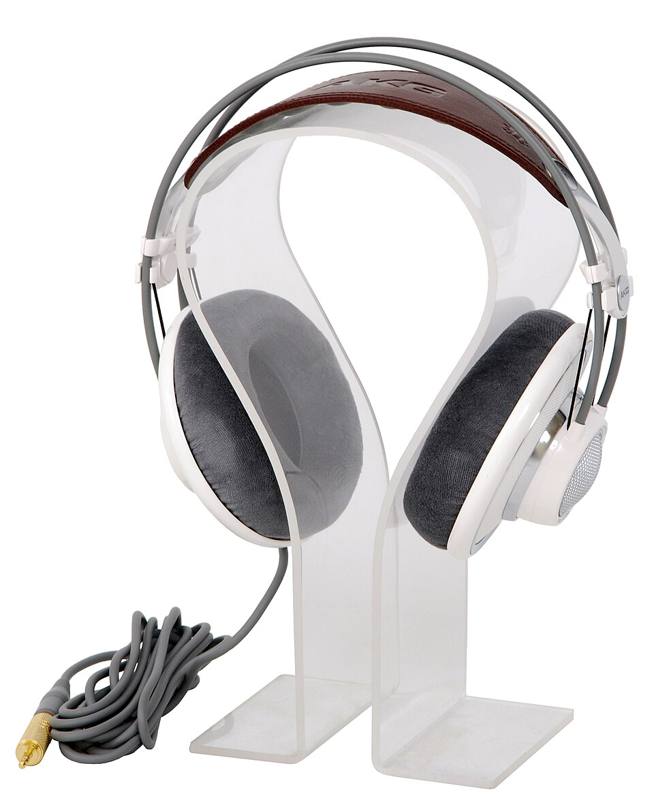
- Headphones: A durable pair of DJ headphones with swivel cups. See DJ headphones.
- Speakers: A pair of 4- or 5-inch active studio monitors. See monitors and speakers.
- Good for: Learning every core skill and playing house parties.
Setup 3: Club-ready practice
- Gear: Two networked media players and a two- or four-channel club mixer, or an all-in-one standalone unit with a similar layout.
- Speakers: 5- to 8-inch monitors, possibly a subwoofer.
- Good for: DJs who want to walk into a club booth with no surprises.
- Note: Buying used is common at this tier. Test everything.
Setup 4: Turntable path
- Gear: Two direct-drive turntables, a two-channel scratch mixer and cartridges with spherical styli.
- Options: Add DVS by choosing a mixer with a built-in sound card that supports your software, plus timecode vinyl.
- Good for: Scratch DJs and vinyl collectors. See DJ turntables explained.
Quick comparison
| Setup | Relative cost | Space | Club similarity | Main strength |
|---|---|---|---|---|
| Bare minimum | Lowest | Tiny | Low | Cheap way to try |
| Serious beginner | Low to medium | Desk | Medium | Best value for learning |
| Club-ready | Highest | Large desk | High | Prepares you for venues |
| Turntable path | Medium to high | Large, stable table | Medium | Scratching and vinyl |
Hidden costs beginners forget
- Music. Building a library takes ongoing spending, through download stores, DJ pools or streaming subscriptions.
- Cables and adapters. XLR or TRS cables for speakers, an extension lead, a spare USB cable.
- A stand or table at the right height. DJ gear should sit around waist height when you stand.
- Earplugs. Musician earplugs are cheap compared to the cost of hearing damage. See hearing protection.
- Backup storage. An external drive or cloud backup for your library.
- A case or bag. If you plan to carry gear to parties.
Buying new or used
Used DJ gear is common and can save a lot, because controllers, mixers and turntables are built to be handled. A few rules:
- Buy where you have protection. Music-gear marketplaces such as Reverb list new and used gear from shops and individual sellers with buyer protection; local listings are cheaper but you are on your own.
- Ask for a video of it working. Every channel, jog wheel, fader and output, plus the headphone jack.
- Check the software. A used controller may not include a transferable software licence, and older units may not have drivers for your current operating system.
- Test on pickup. Bring headphones and a laptop with the software already installed.
- New makes sense when you want a warranty, the newest software support, or the model is cheap enough that used savings are small.
What to skip at first
- Effects units and extra pad controllers.
- Four-deck controllers, unless you already know you need them.
- Expensive speakers in an untreated bedroom.
- Premium software add-ons before you have mastered the basics.
Your ears and practice routine matter more than your gear. A beginner who follows a plan on a basic controller will improve faster than one with a top-tier rig and no routine. Try our 30-day practice plan.