Monitors and speakers
Studio monitors, booth monitors and PA speakers explained, plus how to place them at home so your mixes sound right everywhere.
Three kinds of speakers DJs use
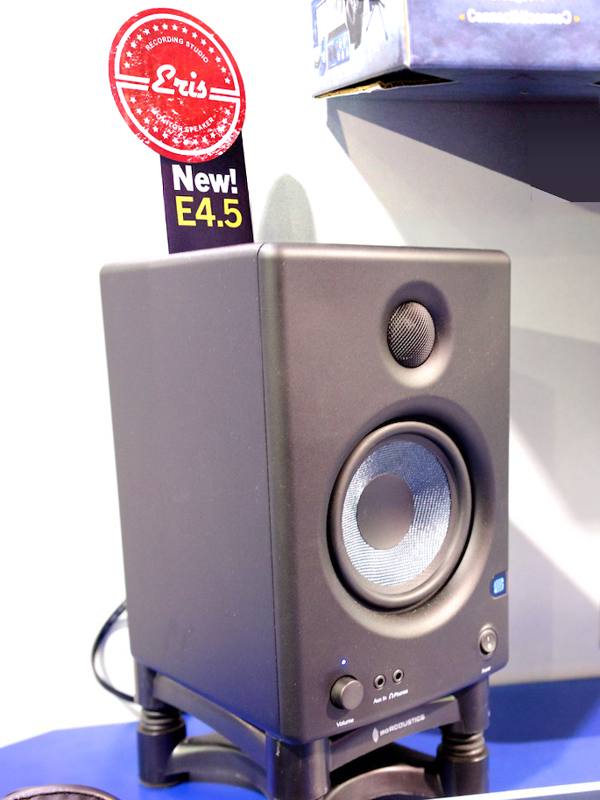
- Home studio monitors. Speakers designed to sound accurate rather than flattering. You use them at home to practice and to judge your mixes.
- Booth monitors. Speakers next to the DJ in a club or at an event, fed by the mixer's booth output. They let you hear the room mix without the delay you get from distant main speakers.
- PA speakers. The main sound system for the crowd. Mobile DJs often bring their own powered PA speakers and a subwoofer.
Active vs passive
Most DJ and home monitors today are active (powered): the amplifier is built into the speaker cabinet, so you plug the speaker into the wall and connect a cable from your mixer. Passive speakers need a separate amplifier. Active speakers are simpler and easier to match, which is why most beginners use them.
Sizes and what they mean
| Woofer size | Bass reach | Best for |
|---|---|---|
| 3 to 4 inch | Limited low end | Small desks, quiet practice |
| 5 inch | Good balance | Bedrooms and small rooms |
| 6.5 to 8 inch | Deeper bass, more volume | Larger rooms, bass-heavy genres |
| Add a subwoofer | Full low end | Larger rooms or events |
Bigger is not always better. Large monitors in a small, untreated room can produce boomy bass that hides problems. Many DJs do better with 5-inch monitors placed well than 8-inch monitors placed badly.
Placement at home
- Form an equilateral triangle: the two speakers and your head at roughly equal distances.
- Point the tweeters toward your ears and keep them at ear height. Stands or angled pads help.
- Keep speakers away from walls and corners when possible, since walls boost bass unevenly.
- Keep speakers off the same surface as your turntables to avoid feedback.
- Put soft furnishings, rugs or acoustic panels in the room to reduce harsh reflections.
Connections
Use balanced cables (XLR or TRS quarter-inch) where your mixer and speakers support them. They reject hum and interference over longer runs. RCA cables work for short distances on simple setups. Keep audio cables away from power cables where possible.
If you hear a hum only when your laptop charger is plugged in, you probably have a ground loop. Try a different outlet on the same power strip, or a ground loop isolator on the audio line.
Booth monitor habits
In a club, the booth monitor helps you hear the room mix in real time. The most common mistake is turning it up until it is louder than the dancefloor. That makes it harder to hear your headphones, which then get turned up too, and the whole booth turns into a hearing hazard. Keep the booth just loud enough to hear the beat clearly, and point it toward you, not the crowd.
Checking your mixes on other systems
Home monitors are only one reference. Before sharing a recorded mix, play it on headphones, earbuds, a phone speaker and a car stereo. If the bass vanishes on small speakers or overwhelms the car, adjust your EQ habits. Our recording mixes guide covers this in detail.
For how loud is too loud, see our hearing protection guide.