Turntables vs CDJs vs controllers: comparison
A side by side comparison of the three main DJ setups, covering cost, portability, learning curve, club readiness and the skills each one teaches.
The three main paths
Almost every DJ setup falls into one of three families:
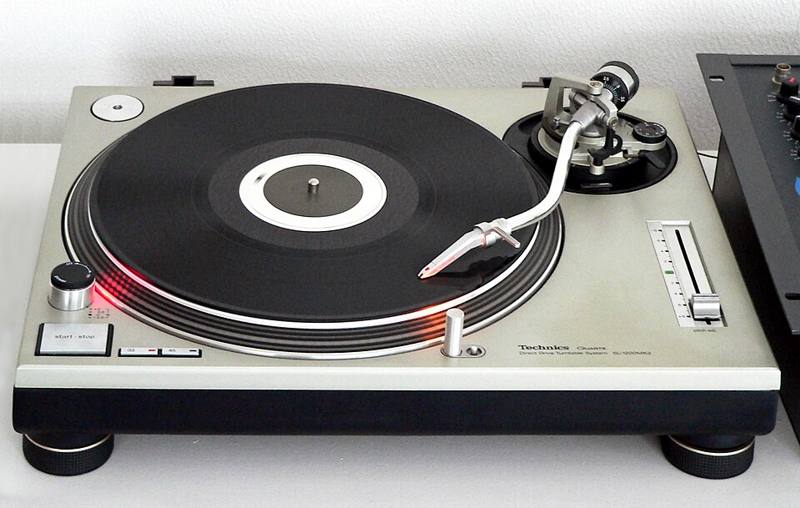
- Turntables and a mixer, playing vinyl or digital files through timecode records.
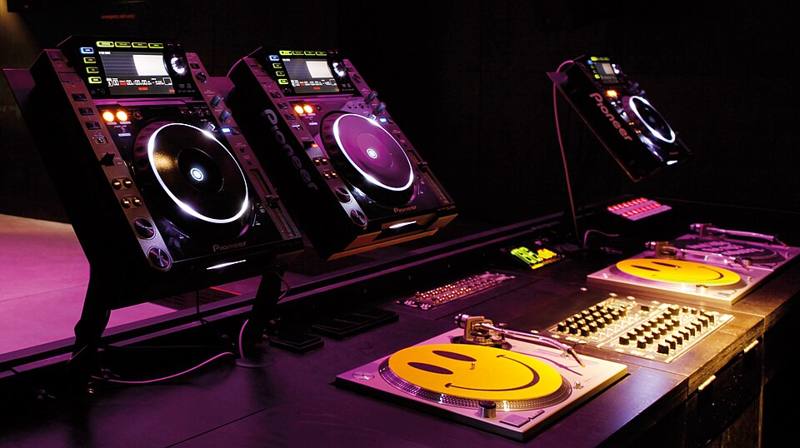
- Media players and a mixer, the standard club booth.
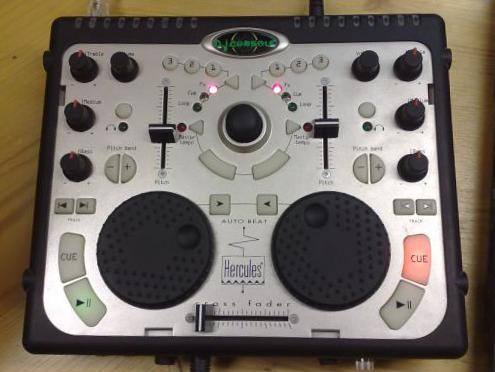
- An all-in-one controller, usually with a laptop, or a standalone unit with its own screens.
All three can make great mixes. The right choice depends on what you play, where you want to play, your budget and your space.
Full comparison
| Turntables + mixer | Media players + mixer | Controller | |
|---|---|---|---|
| Relative cost | Medium to high, plus records or DVS | Highest | Lowest to medium |
| Portability | Heavy, needs a stable table | Heavy | Light, one bag |
| Setup time | Long | Medium | Short |
| Learning curve | Steepest | Medium | Gentlest |
| Club readiness | Some clubs still install decks | Matches most club booths | Some venues allow you to plug in |
| Scratching | The original and best feel | Possible on large jogs | Possible, feel varies |
| Music format | Vinyl or digital via DVS | USB files, some streaming | Files and streaming |
| Needs a laptop | Only for DVS | No | Usually, unless standalone |
| Teaches by-ear beatmatching | Yes, naturally | Yes, if you avoid sync | Yes, if you avoid sync |
Who each setup suits
Turntables suit scratch DJs, collectors, and anyone who loves the physical ritual of records. Vinyl teaches excellent manual skill because there is no screen telling you what to do. Downsides: space, weight, cost of records, and needles to maintain. See DJ turntables explained.
Media players suit DJs aiming for regular club work. If you can play comfortably on a standard club layout, you can play most venues. The downside is price, so many people practice on cheaper gear first. See CDJs and media players.
Controllers suit beginners, mobile DJs, open-format and party DJs, and anyone short on space. A good controller teaches every core skill in this hub. See DJ controllers.
Skills that transfer
These skills work on every setup:
- Beatmatching by ear
- Phrasing and counting bars
- EQ mixing
- Reading a crowd and building a set
What changes between setups is mostly muscle memory: where the buttons are, how the jog wheel feels, and how you load tracks.
A practical upgrade path
- Start on a two-channel controller with the software that suits your future club setup.
- Learn to mix without sync for at least part of every practice session.
- If clubs near you use media players, book an hour in a practice studio to get familiar with them before your first gig.
- Add a turntable or two later if you want to scratch or collect vinyl, possibly using DVS with your existing software.
Buy used gear carefully. Ask to test every fader, knob, button and output, and check jog wheels for consistent response. Faders and crossfaders are the parts that wear out first.
Mixing and matching
Hybrid setups are common: a turntable for scratching beside a media player, or a controller plus a pad unit. Start simple. One reliable setup you know well beats a complicated rig you are still learning.
Ready for specific suggestions? Read budget starter setups.