DJ turntables explained
How a DJ turntable differs from a home record player, what direct drive, torque and pitch range mean, and how to set one up properly.
What makes a turntable a DJ turntable
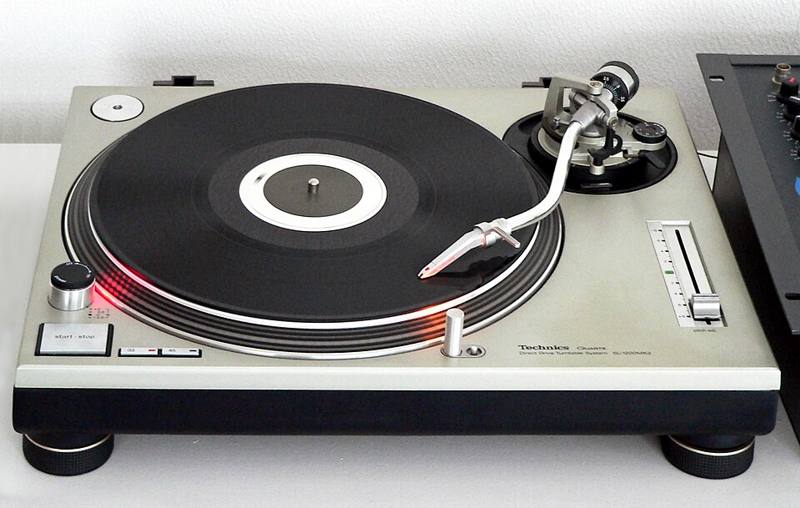
Any turntable spins a record, but a DJ deck is built to be handled while it plays. You nudge it, hold it still while the platter keeps turning underneath, pull it backward and drop it on the beat. Three features make that possible:
- Direct drive. The motor sits directly under the platter instead of turning it with a rubber belt. That gives fast start-up (often well under a second to full speed), strong torque and consistent speed even when you touch the record.
- A pitch fader. A long slider changes the speed, usually by plus or minus 8 percent, with some models offering 16 percent or more. This is how vinyl DJs match tempos.
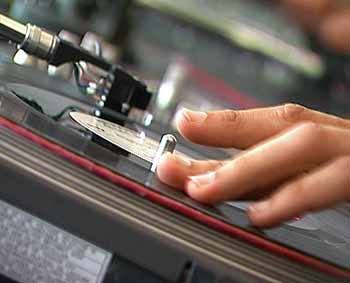
- A slipmat. A felt mat between the platter and the record lets you hold the record still while the platter spins, which is the basis of cueing and scratching.
The best-known example is the Technics SL-1200 series, first released in 1972. The MK2 version from 1979 added a quartz-locked pitch slider and became the standard deck in clubs for decades. Many other brands now make direct-drive decks with the same basic layout, so a DJ trained on one can walk up to most club setups and play.
Direct drive vs belt drive
| Feature | Direct drive | Belt drive |
|---|---|---|
| Start-up time | Very fast | Slow |
| Torque | High, resists your hand | Low, slows down when touched |
| Good for scratching | Yes | No |
| Typical use | DJing, clubs | Home listening |
| Belt wear | No belt | Belts stretch and need replacing |
Belt-drive turntables can sound excellent for listening, but they are frustrating for mixing because the platter slows down every time you touch the record.
Parts you will adjust
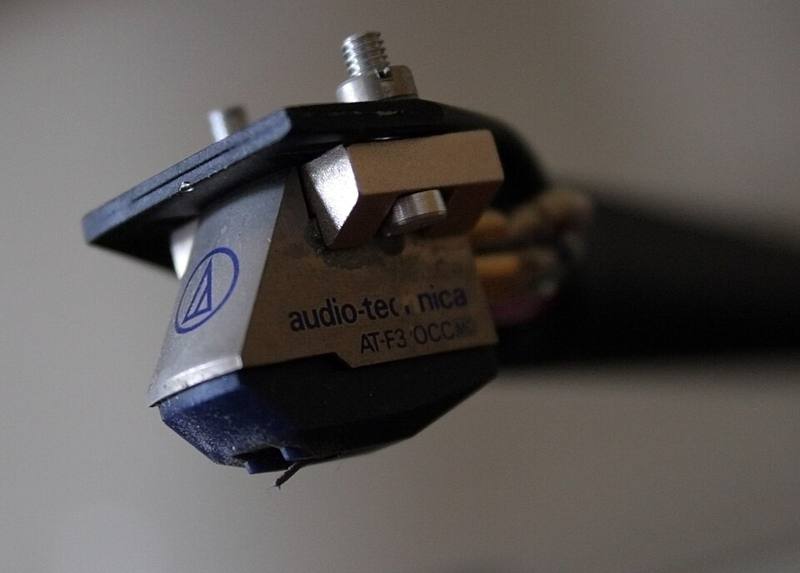
- Tonearm and counterweight. The counterweight sets the tracking force, the downward pressure on the needle. Set it to the cartridge maker's recommendation, usually a few grams for DJ cartridges. See needles and cartridges.
- Anti-skate. This counteracts the arm's pull toward the center of the record. Many scratch DJs set it to zero, while listening setups follow the cartridge spec.
- Tonearm height. Some decks let you raise or lower the arm base so the arm sits level with the record.
- Speed buttons. Most DJ records play at 33 1/3 or 45 RPM. Some decks also offer 78 RPM.
- Start/stop and brake. Some models let you adjust how fast the platter stops, which DJs use for "power down" effects.
Straight arm vs S-shaped arm
Classic club decks use an S-shaped tonearm, which many DJs prefer for blending long tracks. Straight arms, common on scratch-focused decks, tend to resist skipping when the record is pushed hard. Both work fine for learning.
Setting up a pair of decks
- Place the decks on a solid, level surface away from speakers. Vibration from bass travels into the needle and causes feedback, a deep howl that builds up quickly.
- Level each deck using adjustable feet, checking with a small spirit level.
- Fit the cartridge, balance the arm so it floats level, then dial in tracking force.
- Connect each deck to a mixer phono input, and connect the thin ground wire to the mixer's ground post to stop hum.
- Put the decks either side of the mixer, or rotate them 90 degrees ("battle style") if you plan to scratch so the tonearms are out of your way.
If you hear a loud hum, check the ground wire first. If the sound is very quiet and thin, the deck is probably plugged into a line input instead of a phono input.
Turntables in a digital world
Most DJs who use turntables today play digital files through them with a DVS (digital vinyl system). Special timecode records send a control signal to software such as Serato or Traktor, so moving the record moves the digital track. You keep the feel of vinyl without carrying crates of records. Read more in DJ software explained.
Not sure whether turntables are right for you? Compare them with CDJs and media players and controllers in our gear comparison.