Scratching basics: baby, chirp, transform and flare
The foundation scratches every turntablist learns, how to practice them, and the setup that makes scratching easier on vinyl, CDJs or controllers.
What scratching is
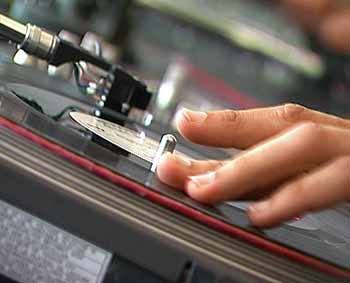
Scratching is moving a record (or a jog wheel) back and forth by hand while using the crossfader or channel fader to shape the sound. It turns the turntable into a rhythmic instrument. The technique is commonly credited to Grand Wizzard Theodore in the Bronx in the mid 1970s, and it was developed by generations of DJs since. Read the turntable as an instrument for the history.
Setup for scratching
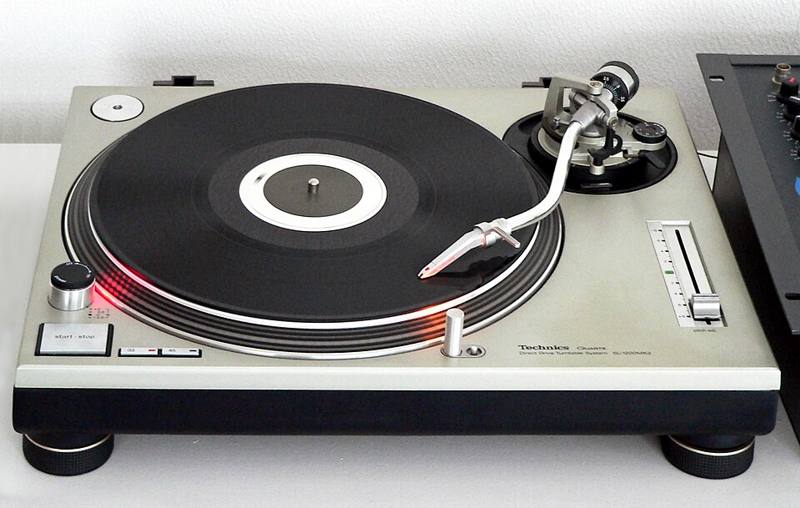
- Slipmat and smooth platter. The record must slide freely while the platter spins.
- Battle style. Many scratch DJs rotate the decks 90 degrees so the tonearm points away from their hands.
- Spherical stylus and correct tracking force to stop skipping. See needles and cartridges.
- Sharp crossfader curve, so the sound cuts in instantly.
- A good sound to scratch. Short, punchy sounds such as "ahh," "fresh" or a horn stab are classic. Mark the start with a sticker on vinyl or a hot cue on digital.
The core scratches
| Scratch | Hands | What you hear | Difficulty |
|---|---|---|---|
| Baby | Record only, fader open | Forward and back sound | Easiest |
| Forward (cut) | Record and fader | Only the forward stroke | Easy |
| Chirp | Record and fader together | Short "chirp" sounds | Medium |
| Transform | Fader taps while record moves | Choppy, stuttering sound | Medium |
| Flare | Fader clicks closed and open | Several sounds per stroke | Hard |
Baby scratch
Leave the fader open and simply move the record forward and back over the sound in rhythm. Focus on even, controlled strokes that match the beat. Everything else builds on this.
Forward scratch
Push the record forward with the fader open, close the fader, and pull the record back silently. You only hear the sound playing forward. Keep the timing tight to the beat.
Chirp
Start with the fader open. Push the record forward and close the fader as the stroke ends, then open it again as you pull back, closing it before the pull finishes. The fader and record move in a coordinated way, cutting off the end of each stroke so you hear short chirps.
Transform
Move the record slowly forward and back while tapping the fader open and shut rapidly, often with a thumb. The sound is chopped into short bursts. Start slowly with even taps, two or four per stroke, then increase speed.
Flare
Begin with the fader open. During a stroke, click the fader closed and immediately open again. One click in a stroke splits it into two sounds, called a one-click flare. Two clicks make three sounds. The flare is credited to DJ Flare in the late 1980s and is the gateway to advanced combos.
How to practice
- Use a metronome or a simple drum loop around 85 to 95 BPM.
- Practice each scratch in short sets: one minute baby, one minute forward, one minute chirp.
- Record yourself and listen back. Timing problems are obvious on playback.
- Increase tempo only when the scratch is clean at the slower speed.
- Learn both hands. Some DJs swap hands between record and fader for different patterns.
Scratching is rhythm first. A simple baby scratch perfectly in time sounds better than a sloppy flare.
Scratching on digital gear
Large jog wheels on media players and controllers can scratch well. Turn on vinyl mode (so the top of the jog acts like a record), check jog sensitivity settings, and choose a sharp crossfader curve. If you love scratching, a turntable with DVS gives the most natural feel.
Scratches also make great transitions: a short scratch of the new track's first sound over the old track can announce a cut mix.